
Want your photos to look like they were taken by the latest camera? Good news: you can. With all the buzz around AI (artificial intelligence) since ChatGPT’s launch it’s no surprise that AI-powered photo editing tools are popping up left and right. We’ve sifted through some of the most popular options available today to find the best ones you can use, whether you want to remove a photobomber, sharpen a blurry photo of the kiddos, or restore a vintage family photo. And don’t worry – you don’t need to be a professional photographer to use them!
AI Tools that Convert Text to Images
1. Canva (free & paid)
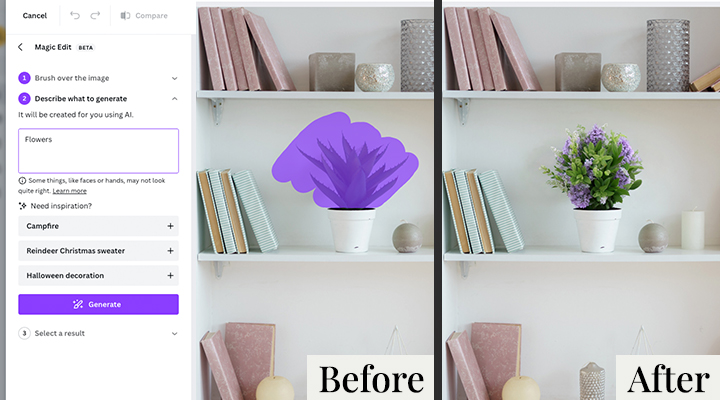
With Canva’s free version, you can generate up to 100 AI images and spruce them up with colourful stickers, text, shapes, and gifs. Alternatively, upload your own images and use Magic Edit to effortlessly fill in missing elements or replace them. Just brush over the area, describe your idea in a text box, and see it come to life!
2. Adobe Photoshop (paid)
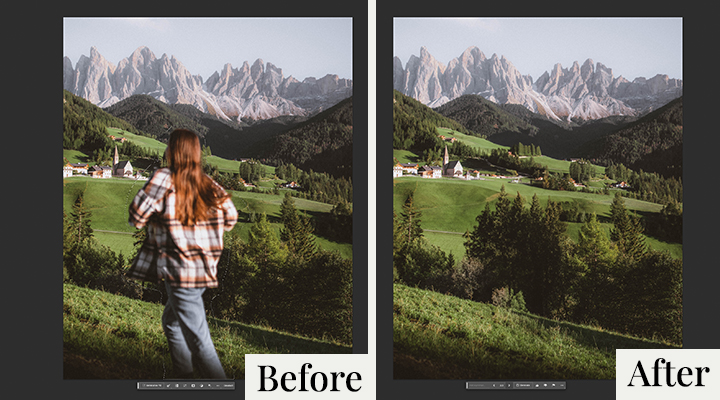
Chances are, you’ve heard of Adobe Photoshop.
But Adobe is more user-friendly than you might expect, thanks to its newly integrated AI tools like Generative Fill. Easily add and remove elements (like pesky tourists in your holiday photos), or even extend the image canvas with a text prompt. Adobe can fill the empty space with original AI-generated content. So, go ahead and expand that sunset wedding portrait into a breath-taking landscape photo to truly capture the glow of the moment.
AI Tools for Creative Effects
1. Befunky (free & paid)
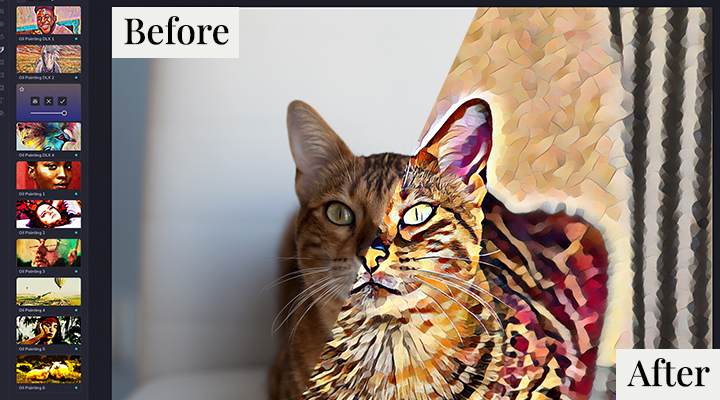
Befunky is a fun, easy-to-use AI photo editor that turns your snaps into art. With their Artsy effects like Cartoonizer, Oil Painting, and Digital Art, Befunky’s AI spots highlights, shadows, and subjects in your pics. One click, and voilà – your photos become museum-worthy masterpieces!
2. Fotor AI (free & paid)
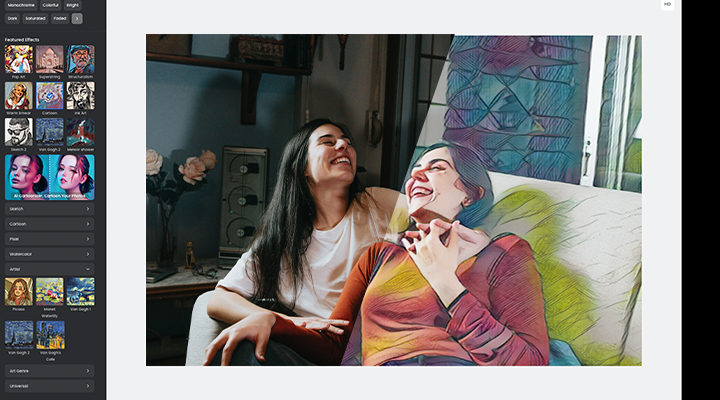
Unleash your inner artist with Fotor’s free picture-to-painting converter. Simply upload your photo and select a painting style, whether it’s pop art, watercolor, or even Van Gogh, and let AI do its thing. But hold on, there’s a watermark? Fear not. Use Aiseesoft’s free AI-powered watermark remover to erase it.
Top tip: Give your cartoon, watercolor, or pop art inspired photos a home on canvas prints and photo tiles, perfect for adding a splash of color to your walls.
AI Tools for Photo Restoration
1. MyHeritage (free & paid)
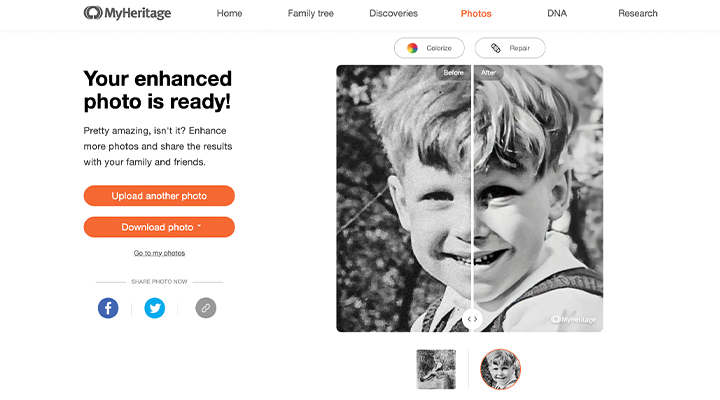
Have old photos that need preserving? Whether it’s a grainy photo of your grandparents or a picture of a family get-together with lots of tiny, hard-to-recognise faces, MyHeritage’s Photo Enhancer is here to save the day. Restore those special moments in seconds, and enjoy them for a lifetime.
2. Remini (free & paid)
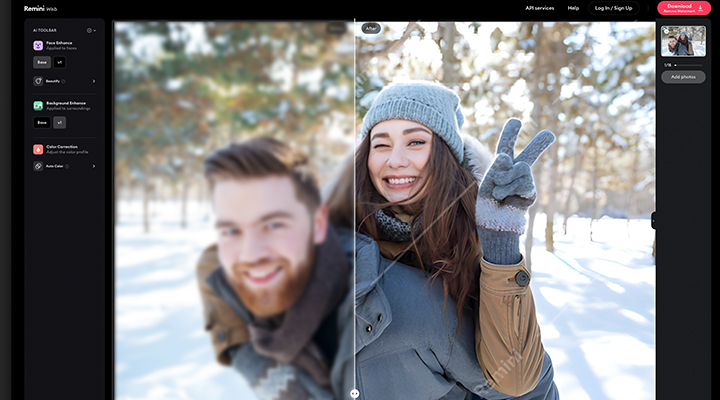
Revive those pixelated, damaged photos with Remini. Why not give your parents’ vintage albums a fresh look? Or surprise your grandparents with their restored photos as a ‘just because’ gift. Reconnect with your family’s past and let Remini’s cutting-edge AI technology create unforgettable moments for everyone.
Top tip: Restored photos of family history can find their place in beautiful photo books and photo calendars, allowing you to flip through those precious moments anytime.
And that’s a wrap! With these 6 AI photo editing tools at your disposal, you’re all set to work your photo magic. Once you’ve perfected your photos, think about how you’ll display them. We’ve got you covered with our wow-worthy selection of personalised photo gifts.
Need Inspiration?
Check out our Instagram!